FreeCell Solitaire: The Ultimate Mind-Bending Card Game.
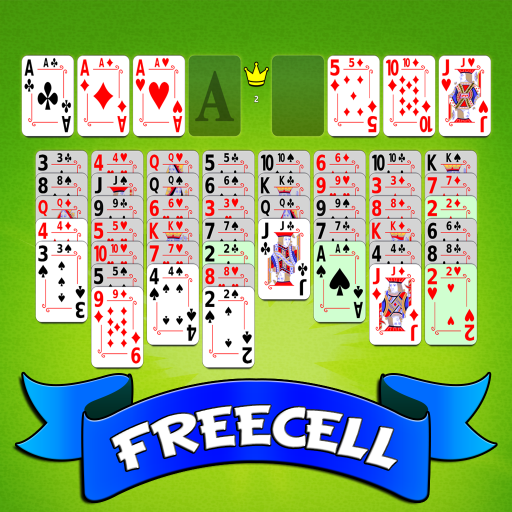
FreeCell Solitaire Mobile is a modern Solitaire card game with 4 games modes, exciting new features and countless personalization options. You can easily customize your game. You got plenty of backgrounds, card fronts and card backs to choose from. It also has multiple settings you can turn off and on, like vibrations, animations, interface or out of moves prompts.
Unlimited Assistance: Seek guidance from our intuitive visual help system, offering helpful hints and step-by-step advice for beginners.
Challenge your intellect with 4 exhilarating game modes:
– 1,000,000 Winnable Deals: Conquer a staggering number of expertly crafted puzzles.
– Random Deals: Test your adaptability.
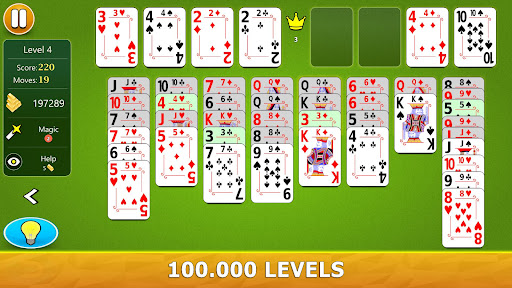
– 100,000 Levels: Ascend through progressively challenging levels, each one designed to sharpen your strategic thinking.
– Daily Challenges: Embark on a daily quest for glory, with unique puzzles to keep you on your toes.
FEATURES
– Intuitive Controls: Tap or drag and drop cards effortlessly.
– Multiple Orientations: Play in both portrait and landscape modes for optimal comfort.
– Endless Personalization: Choose from a vast selection of backgrounds, card fronts, and card backs to create a truly unique aesthetic.
– Control the Action: Toggle animations, vibrations, and interface settings to suit your preferences.
– Vibrations for a more personal, tactile experience
– Unlimited Hints
– Unlimited Undos
– Visual In-Game Help
– Enhanced Statistics and 30+ achievements to unlock
– Left Hand and Right Hand option
– Fully adaptive design
– Stylus Support: Experience precision gameplay with stylus compatibility.
– Cloud Save, so you can play across multiple devices. Your data will be synchronized across all your devices.
– Online leaderboards to compete with people everywhere
HOW TO PLAY
– The goal of the game is to build up 4 stacks of cards, one per suit, in each of the 4 foundations at the top right of the screen. Each stack must start with an Ace, followed by 2, 3, 4, 5, 6, 7, 8, 9, 10, Jack, Queen and end with a King.
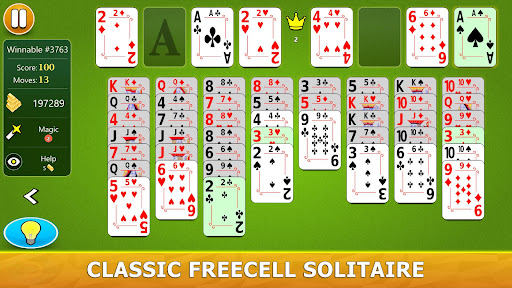
– At the beginning of the game, all the cards are dealt into 8 columns. At the top of the screen you will find 4 free cells and 4 foundations. Use the free cells to temporarily store one card at a time during the game.
– You can move a card from one column to another if the top card from the other column is +1 higher and is of a different color. For example, you can put a 3 of hearts over a 4 of spades. Or you can put a 10 of clubs over a Jack of diamonds.
– You can move an entire series of cards if you have enough free positions. The number of cards that can be moved is (2^M)x(N+1), where M is the number of empty columns and N is the number of empty cells. For example, if you have 2 empty free cells and one empty column you can move as many as 6 cards at a time.
– If you cannot move a stack because it is too large you can try splitting it into two parts. Then you can reassemble it in a new column.
Let the cards guide you to victory!
If you have any technical problems, please email us directly at support@gsoftteam.com. Please, don’t leave support problems in our comments – we don’t check those regularly and it will take longer to fix any issues that you might encounter. Thank you for your understanding!
Information:
| Game name | FreeCell Solitaire – Card Game |
| MOD Publisher | Modoha |
| Current version | v2.4.6 |
| Update day | 2025-12-25T17:48:37.000Z |
| MOD version | v2.4.6 |
| Capacity | About 57MB |
| Operating system | Android 9 or higher |
| Game genre | Card |
| MOD feature | Menu, unlimited gold and diamonds, unlocking |
| Game price | Free |
FreeCell Solitaire – Card Game Apk (Mod, Unlimited Money) Download free
What’s In MOD version?
- Unlimited Money/Gems
- Unlocking Features
- God Mode
- Unlimited Health
- No Ads
- Premium
Is FreeCell Solitaire – Card Game Mod safe?
FreeCell Solitaire – Card Game Mod is 100% safe. This mod was upload by users. It has been tested and overviewed by editor. Then we will use all types of an-ti virus software to scan the file. You do not to worry about the safety of Mod Apk.
Note: FreeCell Solitaire – Card Game modified version are not officially supported by the game developers.
How to Install
Step 2. Once it’s downloaded, open Downloads, tap on the APK file, and tap Yes when prompted.
Step 3. com.gsoftteam.freecellmobile.Apk will begin installing on your device. Simple.